93 video effectsPremiere 26’s Video Effects bin, plus about 30 transitions
Own codecsH.264, HEVC, ProRes, VP9, AV1 decoders; no FFmpeg inside
CaptionsSRT, WebVTT and SCC in and out, burned in on export
Private by designFootage and exports stay on your device
If you know Premiere Pro, you already know where things are
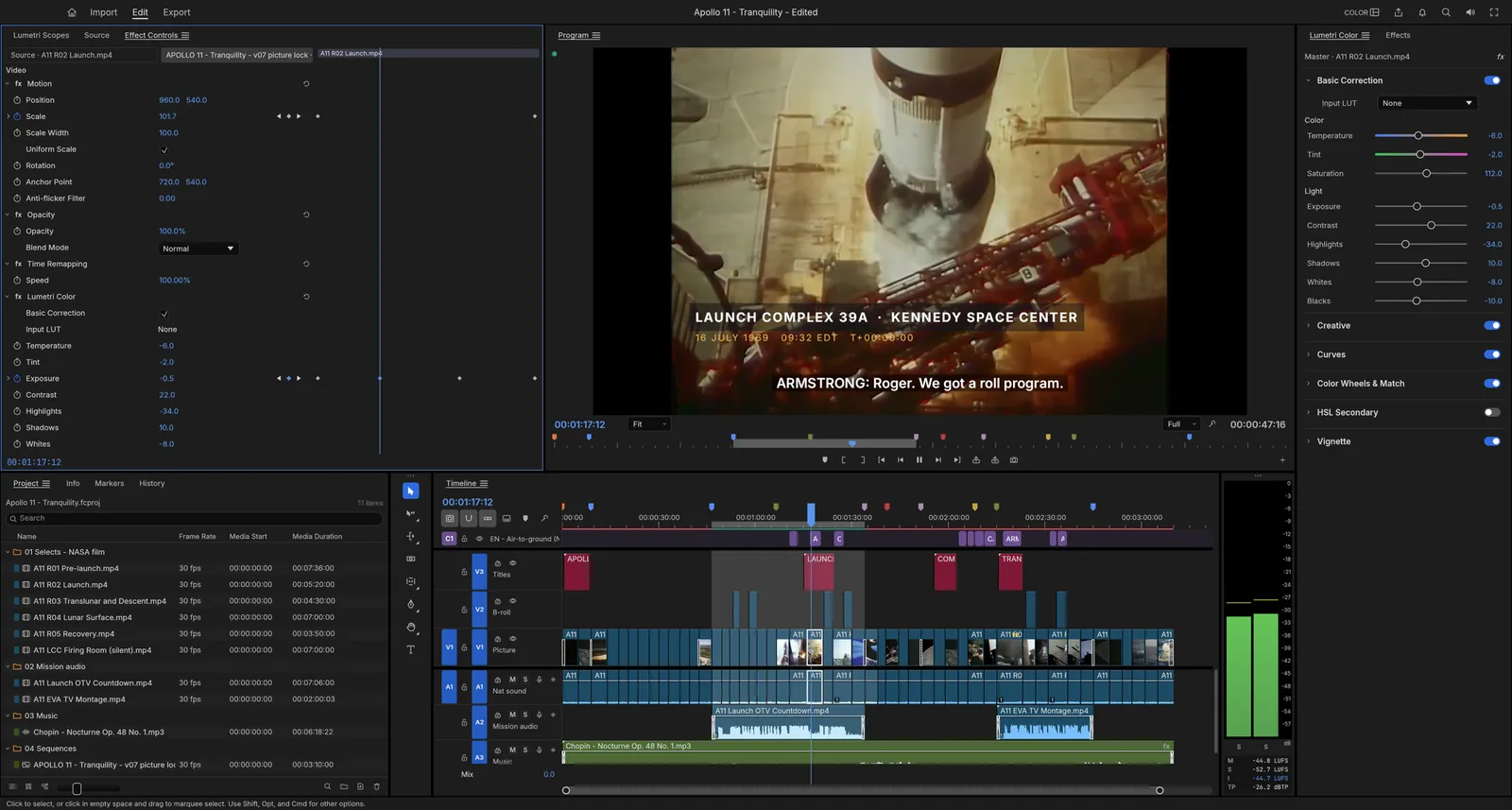
The Editing, Assembly, Color, Effects and Audio workspaces, the panels and the shortcuts follow Premiere, and a keyboard preset maps Premiere, Final Cut Pro or Avid keys. Here is some of what the web build does.
Cut the way Premiere taught you
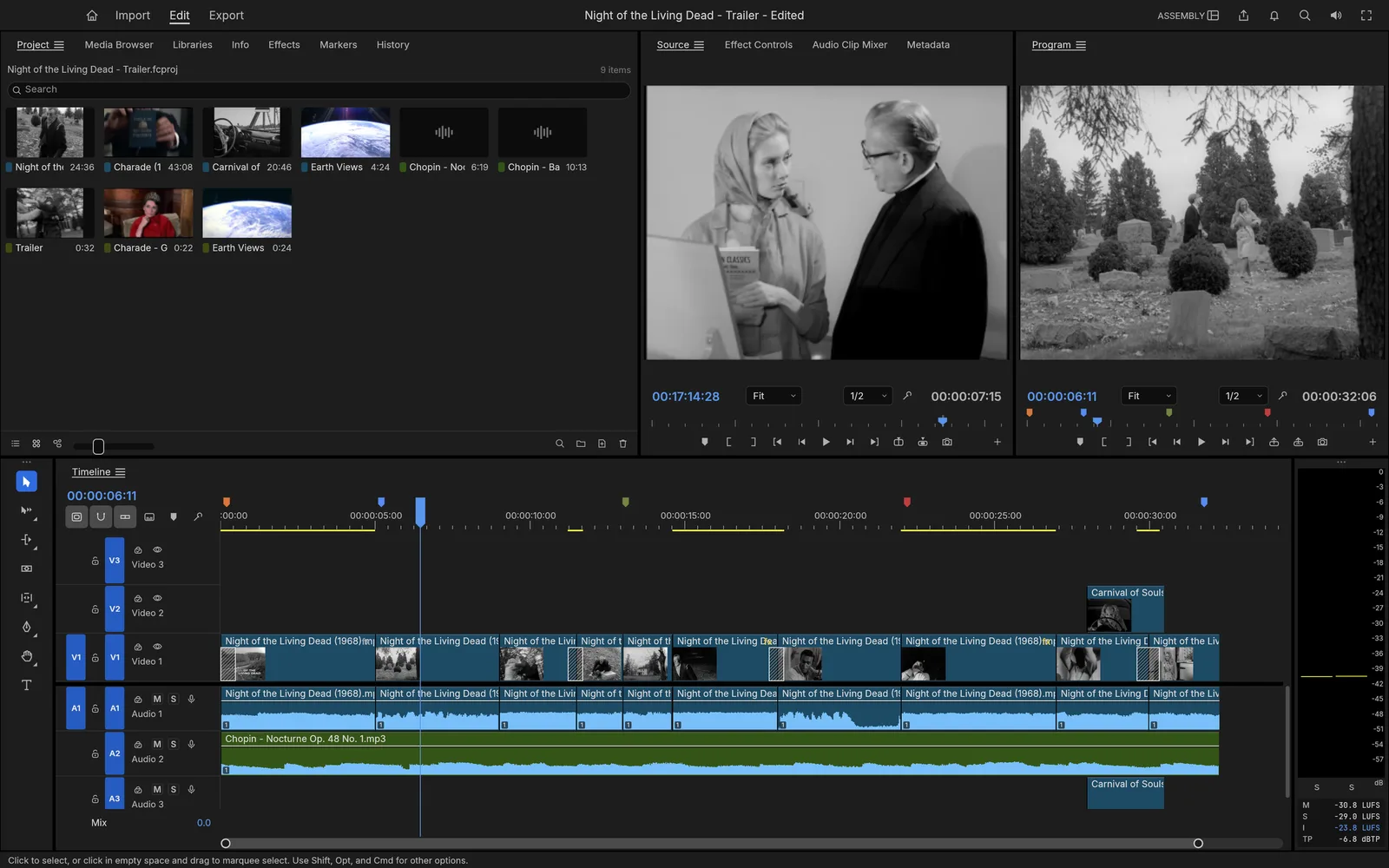
Source and Program monitors, bins with thumbnails, a multi-track timeline with patching and targeting, sync locks and linked selection. Mark In and Out, insert with comma or overwrite with period, and trim with ripple, roll, slip, slide, rate stretch and the razor. Edit times are exact integer ticks, so 23.976 and 29.97 drop-frame never drift.
The Assembly workspace on a trailer for Night of the Living Dead (1968). Screenshot from the FilmCraft project.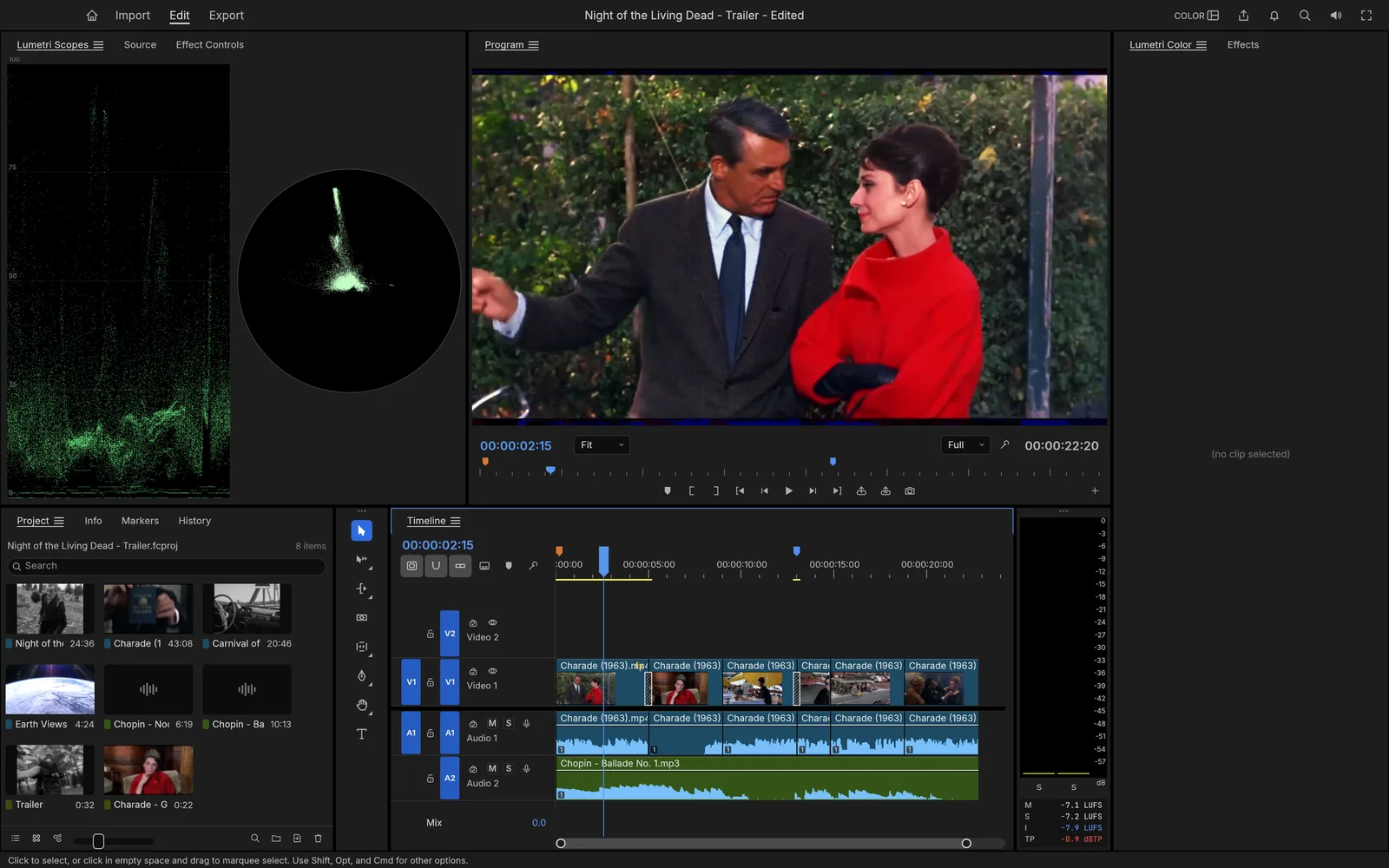
Lumetri-style color, with honest scopes
Basic Correction, eight built-in looks, RGB and hue curves, shadow, midtone and highlight wheels, HSL Secondary and a vignette, graded in linear light at 32-bit float. The waveform and vectorscope read the graded frame.
The Color workspace on Charade (1963). Screenshot from the FilmCraft project.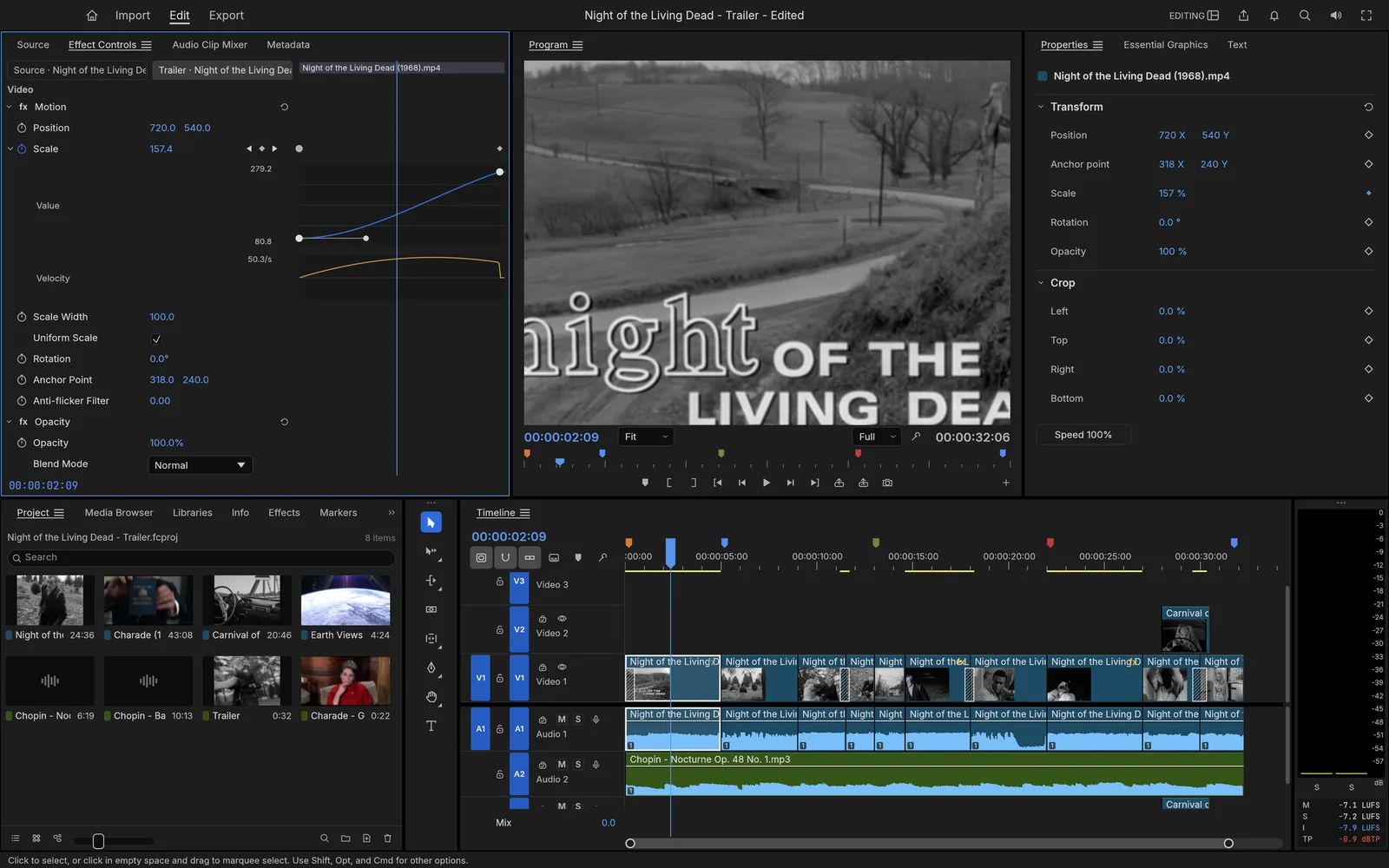
Effects, titles and keyframes
The 93 video effects of Premiere 26’s bin in 16 folders, around 30 transitions, 26 blend modes, and Bezier, hold and eased keyframes with value and velocity graphs. The Type, Shape and Pen tools draw titles right on the Program monitor.
An eased push-in on a title card in Effect Controls. Screenshot from the FilmCraft project.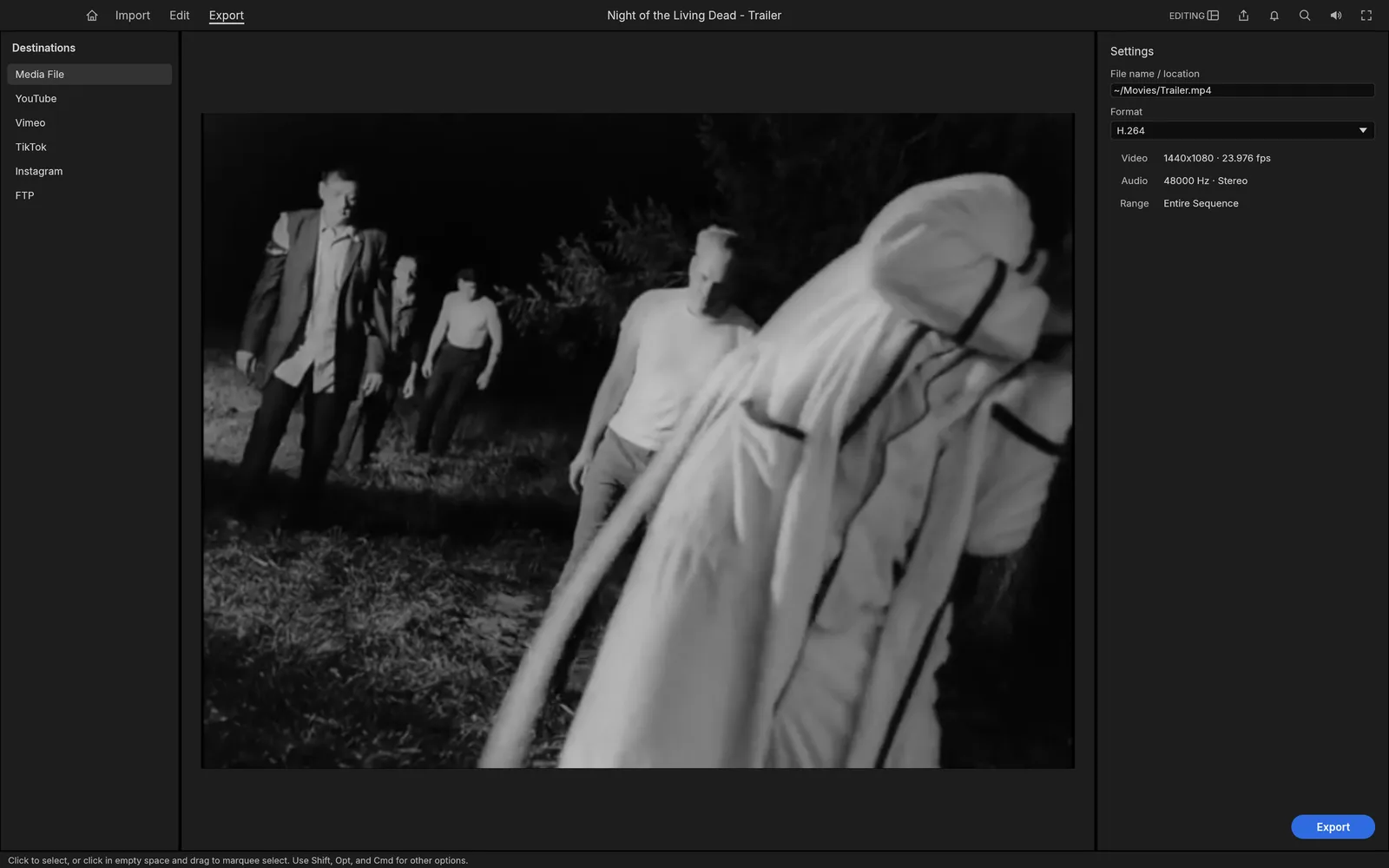
Export an MP4 without FFmpeg
File › Export › Media opens Export mode. The H.264 and AAC encoders are FilmCraft’s own Rust code, so the browser build writes the same MP4 as the desktop app. The finished file arrives as a download.
Export mode set to H.264 MP4. Screenshot from the FilmCraft project.Questions
Is FilmCraft Online free?
Yes. FilmCraft is free and open source under MIT OR Apache-2.0, with no account and no watermark. The optional AI tools use your own API key, so any AI usage is billed by your provider, not by us.
Is this the official FilmCraft?
It is the official FilmCraft web build, unmodified, as the ArtCraft team publishes it on GitHub. This site is independent: we host that build, keep it on the latest release and add an AI panel beside it.
Are my videos uploaded anywhere?
No. FilmCraft runs inside your browser with WebAssembly. Files you import are read from your disk in place, decoding and exporting happen on your device, and finished files arrive as downloads. The only exception is the AI panel, which sends the audio, script or frame you choose straight to the AI provider whose key you entered.
Does it keep my work if I close the tab?
While a project has unsaved changes, the browser build saves a recovery snapshot every 5 seconds and keeps copies of imported media in the browser’s private storage, so the project comes back on your next visit. File › Save downloads the project as an .fcproj file; open it again with File › Open Project or by dropping it on the editor. Clearing site data or a private window loses the browser copy.
Can it open Premiere Pro projects?
Not .prproj files. Bring sequences over as Final Cut Pro 7 XML (the format Premiere and DaVinci Resolve exchange), AAF or OpenTimelineIO. FilmCraft also reads and writes FCPXML, CMX 3600 EDL and OMF.
Which video formats can I import?
MP4 and MOV with H.264, HEVC, ProRes, DNxHD/DNxHR, VP9 or AV1, Matroska and WebM, MXF, MPEG transport streams, plus PNG, JPEG, WebP, TIFF and GIF stills and WAV, AAC, MP3, FLAC and Opus audio. Where the browser offers WebCodecs, H.264, HEVC, VP9 and AV1 in MP4 or MOV go through the browser’s own decoder, usually in hardware.
What doesn’t work in the browser?
The browser build is single-threaded, so long or 4K timelines play and export slower than on the desktop. Render previews, proxies, Project Manager and mask tracking report an error on the web for now, and built-in speech-to-text is not included (the AI panel covers transcription on your own key). For heavy projects, use the desktop app.
How close is it to Premiere Pro?
The FilmCraft team measures about 86% of Premiere Pro’s menu items, effects, transitions, panels and formats, and estimates it at about 56% ready for real work. It is in alpha, so save often and keep your source files.